Target schedulers follow hand-tuned rules and never read the weather
Nightly optimization that scores every plan on the forecast
More data, and better data
 NightFront
Non-Dominate the Night
Free astrophotography planning. Each night is optimized across all your projects on the forecast and live conditions, in one closed loop from plan to master lights. In NINA, an online agent runs the night and replans when conditions change.
Version 3.19.1 · Windows, Linux and macOS · free, with no account
Plan, image, review and process: one integrated, closed loop
Target schedulers follow hand-tuned rules and never read the weather
More data, and better data
Conditions change after dusk
Better data from the online agent
NINA logs are rarely reviewed, so problems and opportunities go unnoticed
Problems found each morning, with recommendations on how to fix
Which targets are best for my rig, and when are they best imaged?
Targets ranked for your rig with an estimated schedule for each
Processing often comes after data collection, so data quality is “whatever was collected”
Better data. Better master lights.
The NINA plugin plans the night, watches it, and changes course on its own
Nightly Update builds tonight's plan on the imaging computer with the same optimizer and forecast as the desktop app, and loads it into your sequence.
When wind or seeing crosses a threshold, or after an unsafe spell, Replan re-solves the rest of the night with a live weather reading and swaps in the new plan.
When the plan finishes with darkness left, it plans again instead of leaving the mount idle, and every frame it shoots is counted toward each project.
From connected observatory to disconnected user
Forecast, live conditions, a safety monitor and internet: the plugin replans when the night changes and recovers after an unsafe spell.
Forecast and internet, no live sensors: every night is planned on the forecast, and Nightly Update runs it.
No internet: nights are planned without weather, from altitude, the Moon, darkness and priorities, using catalogs, imagery and orbits fetched earlier.
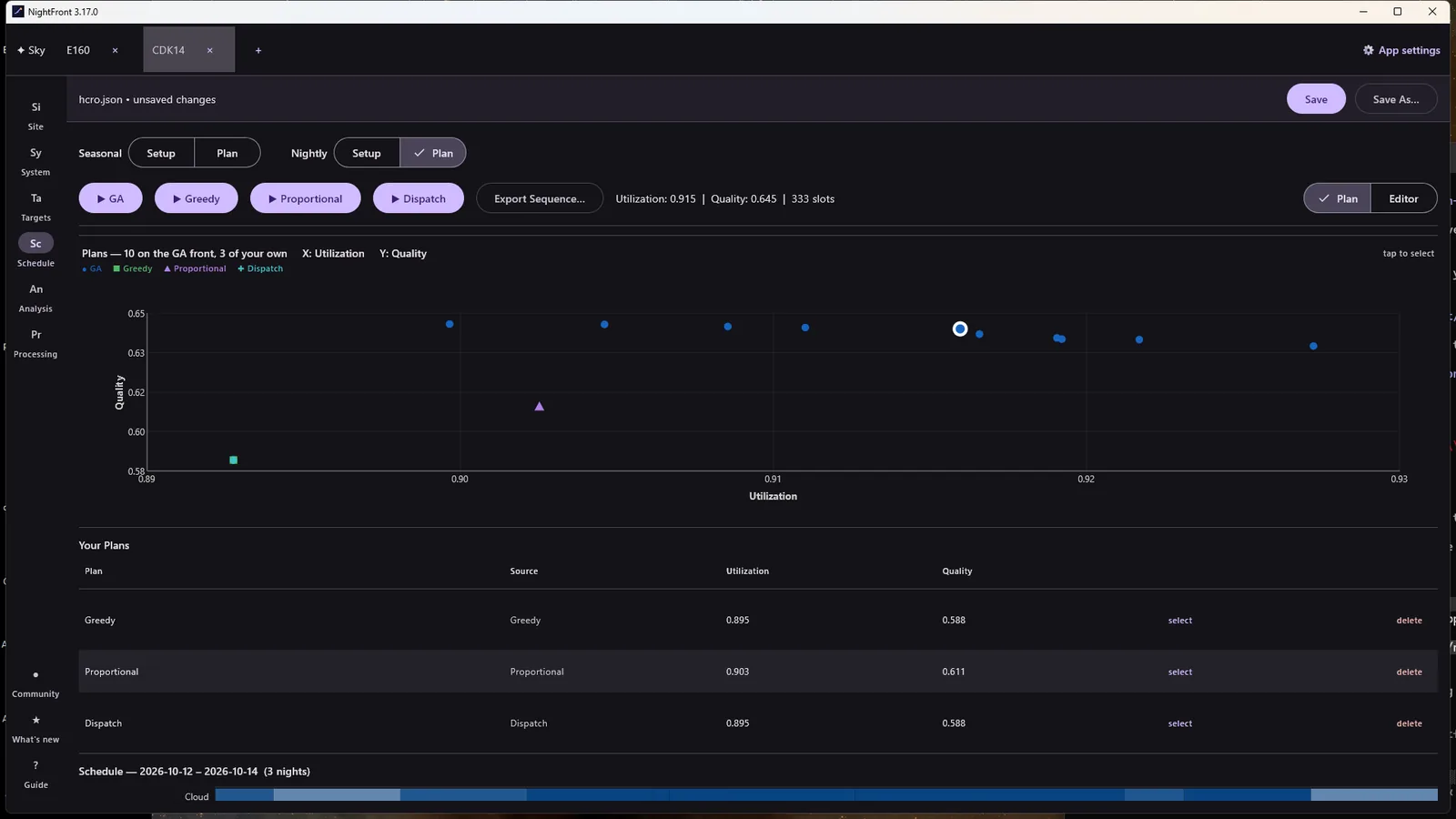
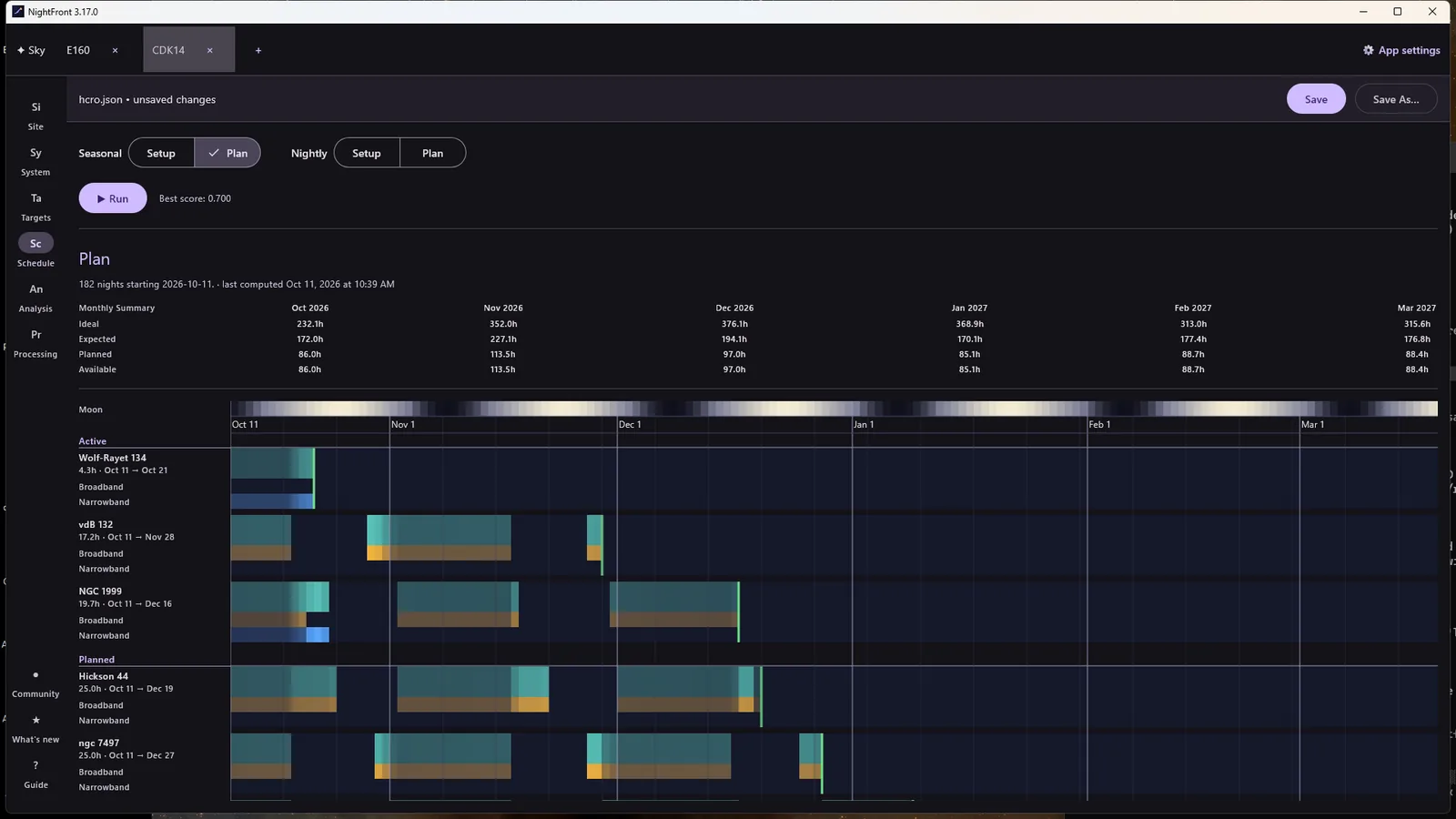
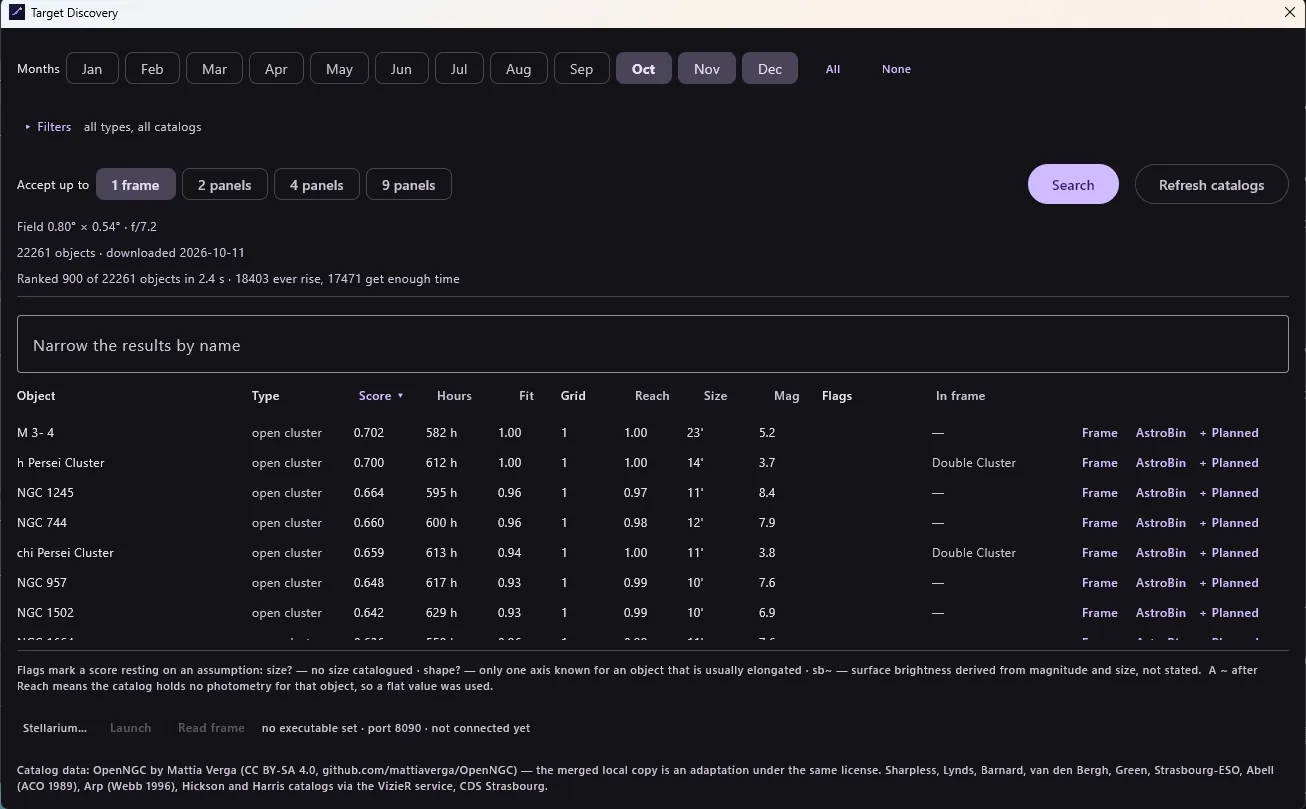
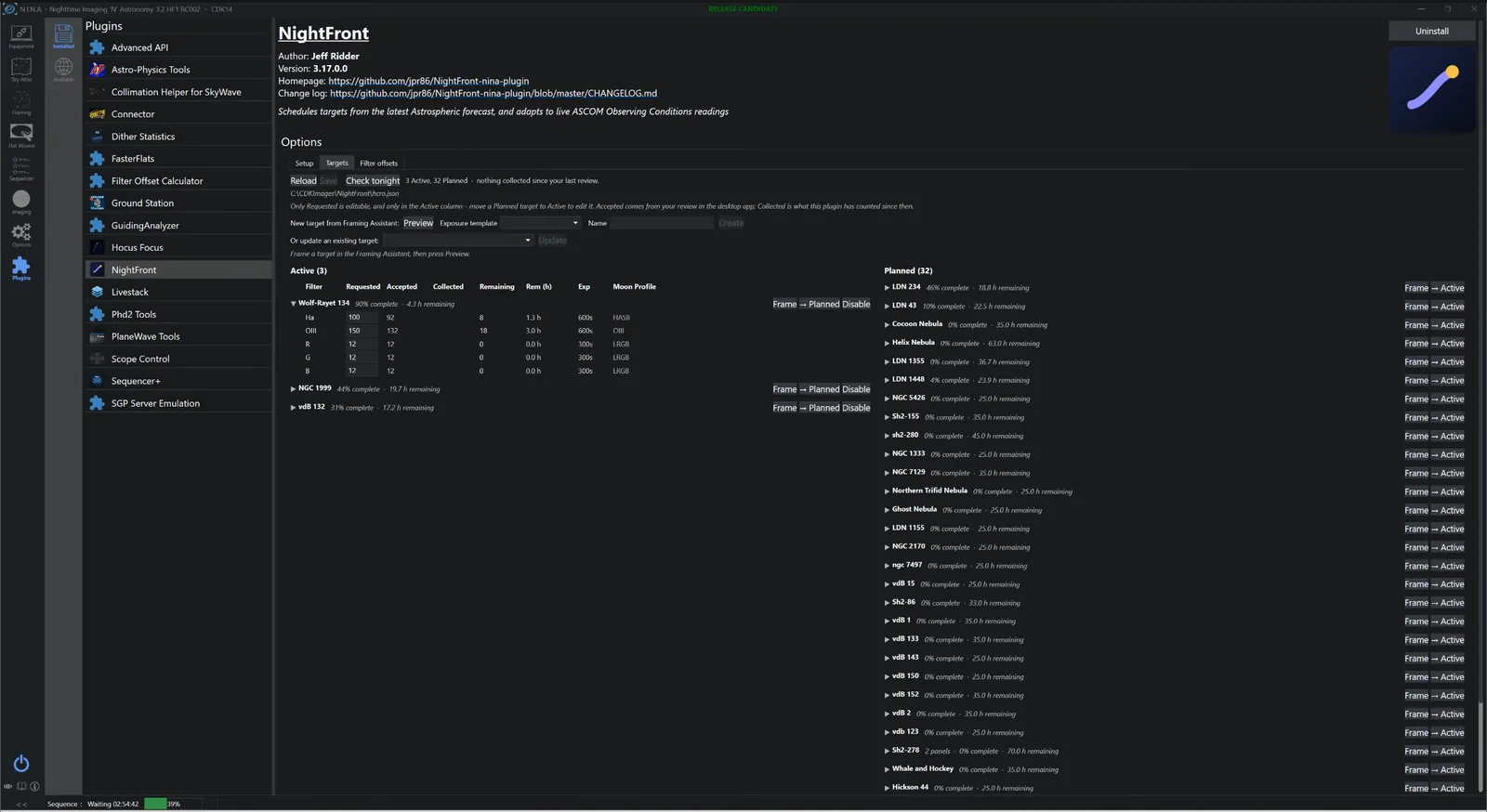
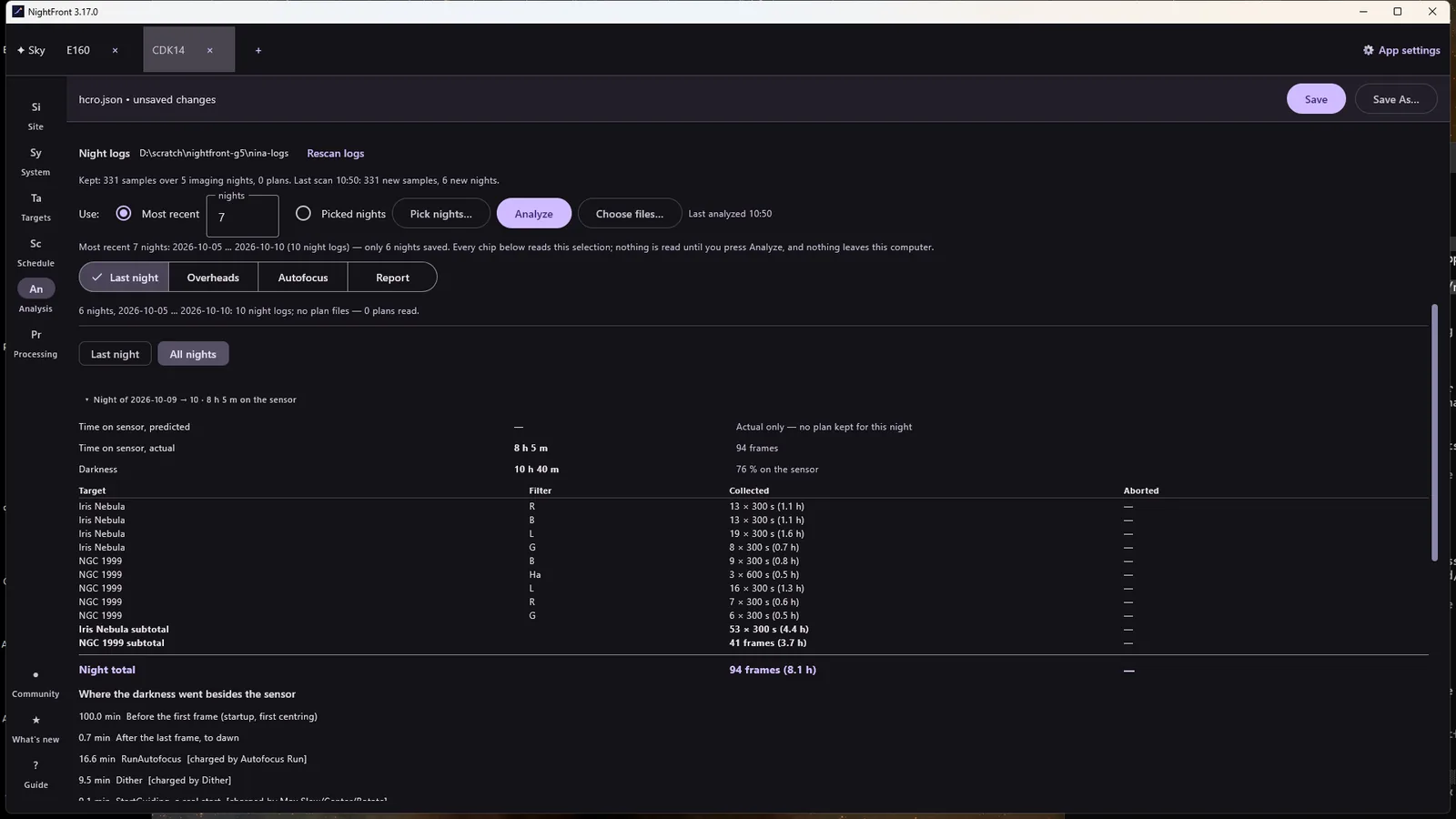
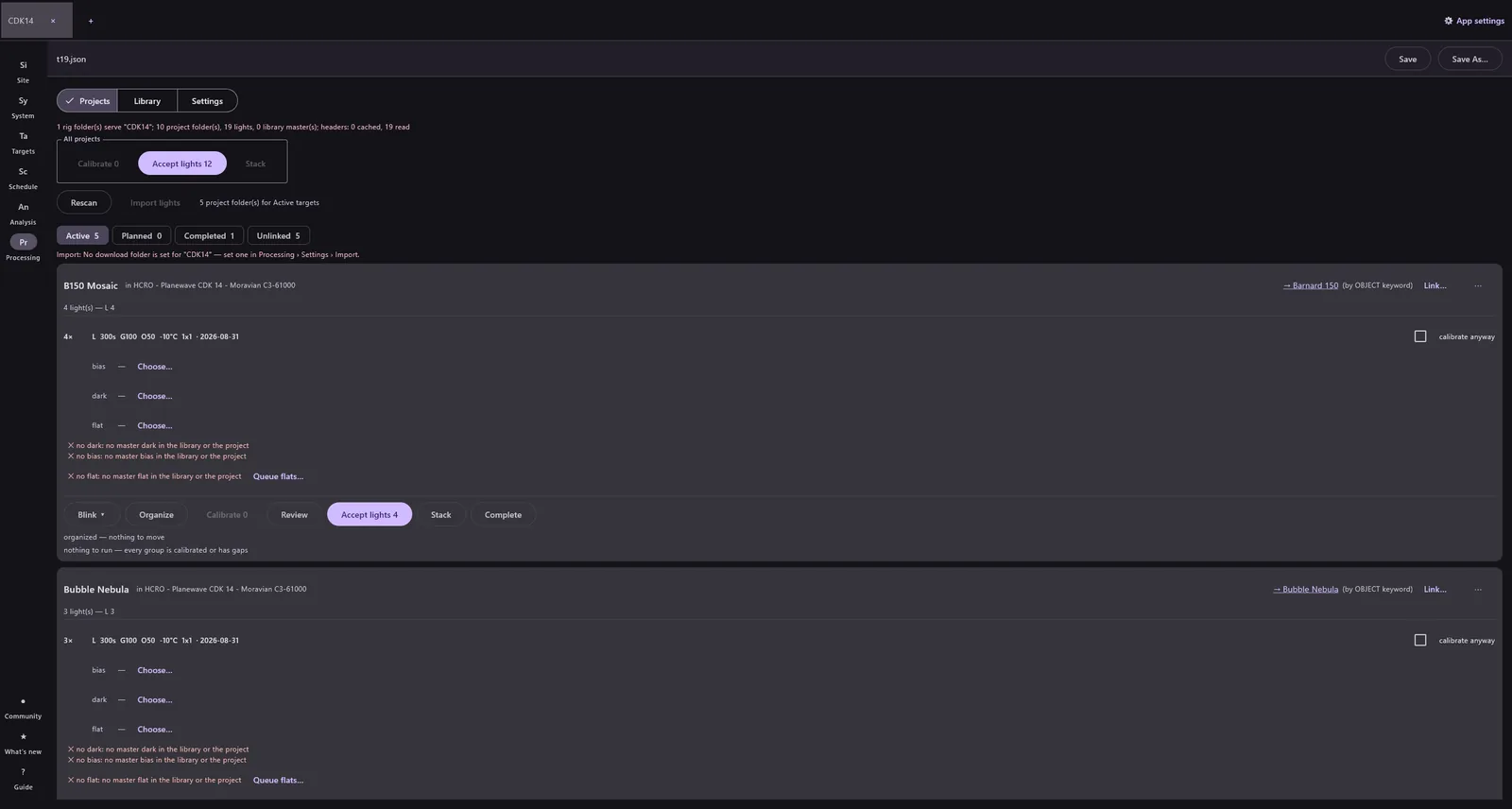
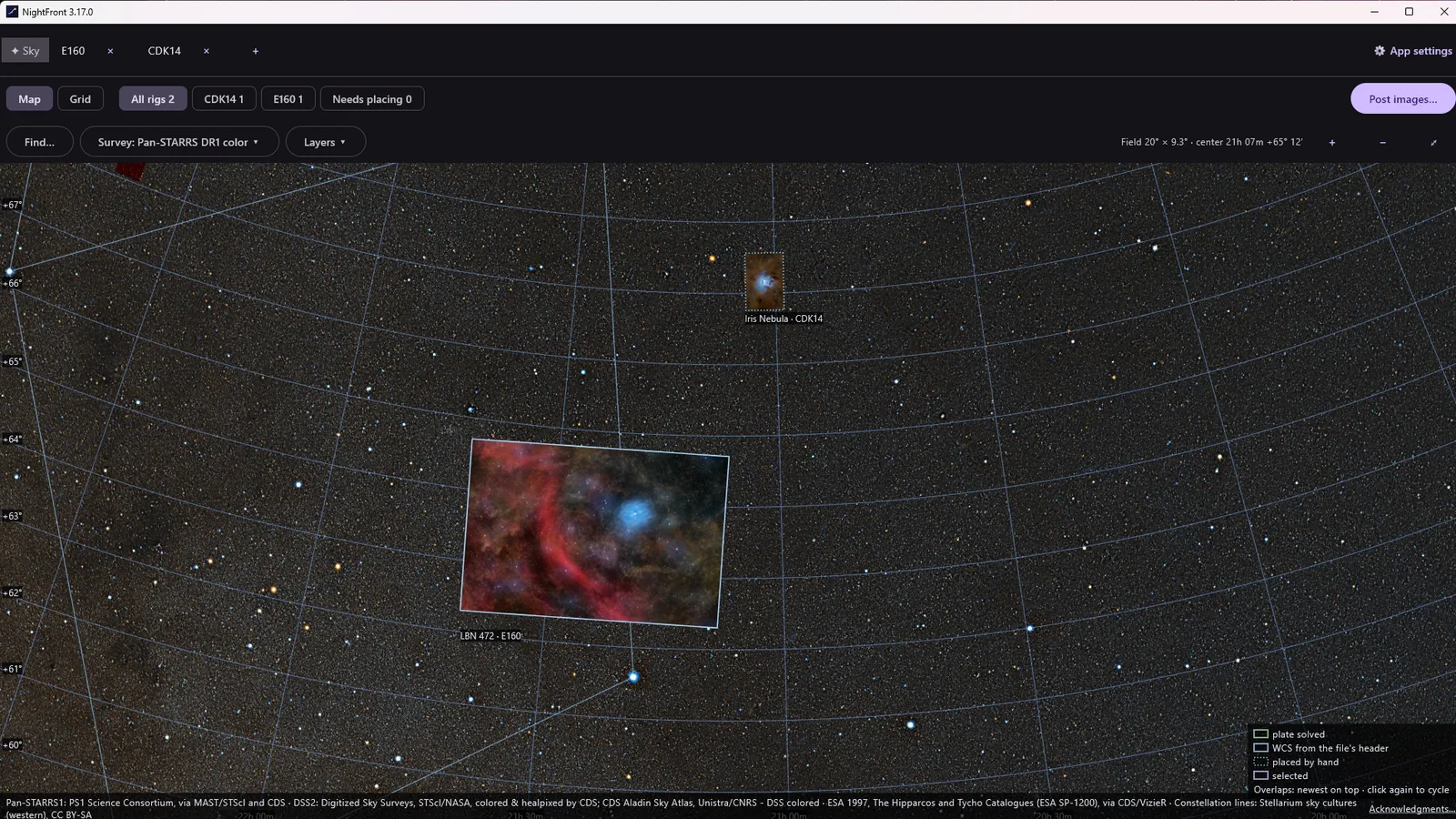
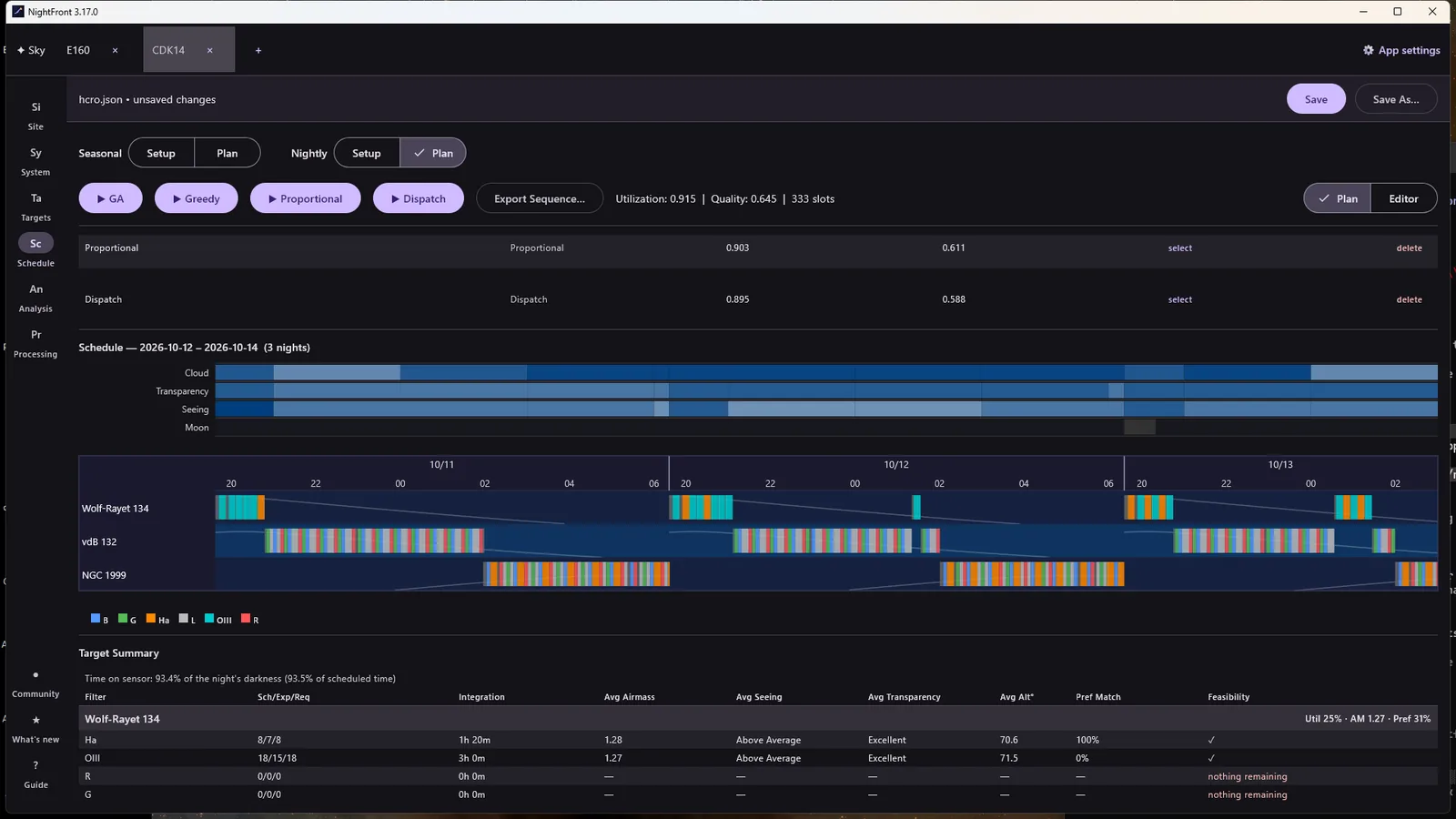
Where you choose targets, plan the season and each night, review what happened and process your data. Runs on Windows, Linux and macOS.
Runs on your imaging computer inside NINA: plans at dusk, replans when conditions change, refills the night when the plan finishes early, and counts what it shoots. Windows, like NINA.
Both read one config file per imaging system, kept in a folder both computers can reach.
NightFront 3.19.1 · NINA plugin 3.19.1.0
Linux, macOS and the NINA plugin are listed beside it.
Questions, ideas, and nights that went well (or didn't): join the NightFront Discord.
NightFront is free software, a gift to the community. If it helps your nights and you'd like to contribute to its development, you can make a donation. It is optional and unlocks nothing: every feature is in the free download.